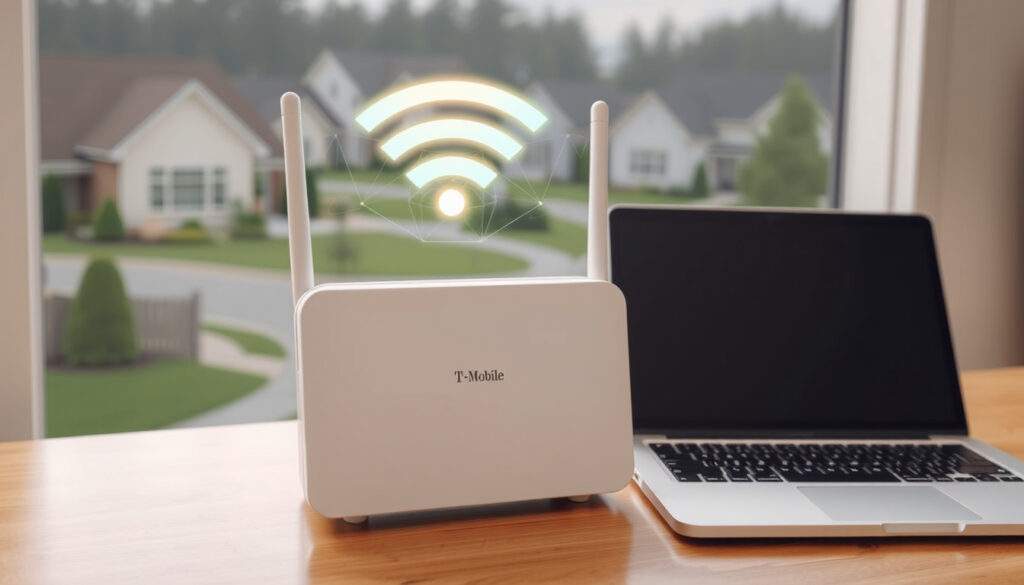
T-Mobile Home Internet 2025: Plans, Pricing, Speeds, Coverage
Tired of overpaying for cable or stuck with slow DSL in a rural area? T-Mobile Home Internet has been turning heads since its national launch in 2021, promising 5G speeds without a contract—but real-world performance varies by location.
Starting price per month: $35 with AutoPay · Typical download speeds: 87–415 Mbps · Households covered: over 50 million · Data cap: none
Quick snapshot
- 5G fixed wireless service from T-Mobile (T-Mobile Home Internet official site)
- Starting at $35/mo with AutoPay (T-Mobile Home Internet official site)
- No data caps, no contracts (T-Mobile Home Internet official site)
- Actual speeds per address vary by tower distance and congestion (T-Mobile broadband policy)
- Future expansion plans not detailed (T-Mobile broadband policy)
- Long-term impact of 1.2TB deprioritization threshold (T-Mobile broadband policy)
- 2021: National launch (T-Mobile Newsroom)
- 2023: Price lock guarantee introduced (T-Mobile Newsroom)
- 2024: Home Internet Plus and Away launched (T-Mobile Newsroom)
- Expansion to more addresses as network capacity grows (T-Mobile Home Internet FAQ)
- Possible new plan tiers (T-Mobile Home Internet FAQ)
Six key specs define T-Mobile Home Internet, and the standout pattern is the lack of hard limits: no data cap, no contract, but speeds that depend heavily on location.
| Spec | Value |
|---|---|
| Starting price | $35/mo with AutoPay |
| Typical download speed | 87–415 Mbps |
| Upload speed | 15–31 Mbps (typical) |
| Latency | 19–37 ms (typical) |
| Data cap | None (deprioritization after 1.2TB on new plans since Jan 2024) |
| Contract | None required |
| Availability | Over 50 million households |
What is T-Mobile Home Internet?
How T-Mobile 5G Home Internet works
T-Mobile Home Internet is a fixed wireless access (FWA) service that connects your home using the same 5G and 4G LTE towers your phone uses. Instead of a cable or fiber line, T-Mobile sends a Wi‑Fi gateway that plugs into a power outlet and communicates wirelessly with the nearest cell tower. Setup takes under 15 minutes, according to the T-Mobile Home Internet FAQ.
T-Mobile Home Internet customers share tower capacity with mobile users. The network prioritizes phone traffic during congestion, which can slow your home connection at peak hours (T-Mobile broadband policy).
Technology behind fixed wireless access
FWA is the key innovation. Unlike DSL or cable, which require physical lines to your house, T‑Mobile beams data over the air using its 5G‑NR (New Radio) standard. The gateway uses a built‑in modem and antenna array to lock onto the strongest signal. T‑Mobile says the service is currently available in 634 metro areas (PCMag review).
Differences from traditional cable or fiber
- No physical installation – just plug in the gateway.
- Speeds fluctuate with network load and signal strength.
- No long-term contract – cancel any time.
- No data caps – but heavy users may be deprioritized after 1.2 TB in a billing cycle (T-Mobile broadband policy).
The implication: T‑Mobile Home Internet works well for light to moderate use, but power users or gamers may notice inconsistency.
Is T-Mobile 5G Home Internet $35 a month?
Standard pricing vs. promotional pricing
The $35/month price requires AutoPay and an eligible T‑Mobile voice line. Without those discounts, the standard price is $60/month. T‑Mobile also offers a Price Lock guarantee that keeps your rate unchanged for five years (T-Mobile Home Internet official site).
AutoPay discount requirements
To get the $35 rate, you must enroll in AutoPay using a debit or credit card and have at least one postpaid voice line on your account. The discount lowers the monthly bill by $25.
Taxes, fees, and equipment charges
T‑Mobile includes the Wi‑Fi gateway at no extra cost – no equipment fees. But taxes and regulatory fees still apply. The T-Mobile Home Internet FAQ states there are “no hidden equipment fees.”
For existing T‑Mobile voice customers, $35/month is a genuine bargain. Without a voice line, you’ll pay $60 – still competitive with cable but without the contract.
Is T-Mobile 5G faster than Starlink?
Speed comparison: T‑Mobile vs Starlink
Four metrics show the trade‑offs clearly.
Two wireless services, very different trade-offs: T‑Mobile wins on price and ease; Starlink wins on extreme rural access.
| Metric | T‑Mobile Home Internet | Starlink |
|---|---|---|
| Typical download speed | 87–415 Mbps | 25–220 Mbps |
| Latency | 19–37 ms | 20–50 ms |
| Monthly price | $35 – $60 | $120 |
| Equipment cost | $0 (included) | $599 upfront |
The pattern: T‑Mobile offers higher peak speeds and far lower costs, but Starlink reaches areas where no cell tower exists.
Latency and reliability differences
Starlink’s low‑earth‑orbit satellites introduce higher latency than T‑Mobile’s ground towers, but Starlink can reach areas with no cell signal. T‑Mobile’s latency is closer to cable, making it better for real‑time applications like video calls (PCMag review).
Which is better for rural areas?
For rural homes within 10‑15 miles of a T‑Mobile tower, the home internet plan is cheaper and simpler. But for truly off‑grid locations, Starlink is the only option. The T-Mobile Home Internet FAQ notes that address eligibility is based on network capacity and can change as more customers join.
The catch: T‑Mobile is faster and cheaper where it works; Starlink works nearly everywhere but costs more.
What’s the downside of T-Mobile Home Internet?
Speed variability by location
Distance from the nearest 5G tower directly affects your speeds. A home close to a tower may see 400+ Mbps; one on the edge of coverage might get under 50 Mbps. PCMag noted that speeds can be “vastly below” cable or fiber in some locations.
Deprioritization during peak hours
As of January 18, 2024, new customers who exceed 1.2TB in a billing cycle are “last priority” on the network during congestion (T-Mobile broadband policy). Heavy streamers and large families could hit that threshold.
Limited availability and no wired backhaul
The service is not available everywhere, and you cannot use a wired Ethernet backhaul – the gateway must use the cellular signal. T‑Mobile says it’s available to “over 50 million households,” but that still leaves many rural homes unserved.
Upsides
- Low starting price of $35/mo with AutoPay
- No data caps or contracts
- Easy self‑installation (under 15 minutes)
- Price lock guarantee for 5 years
Downsides
- Speeds vary significantly by location and congestion
- Deprioritization possible after 1.2TB monthly use
- Not available in all areas
- No wired backhaul option
Where is T-Mobile Home Internet available?
How to check availability at your address
Enter your address on T‑Mobile’s official site to see if your home qualifies. The company warns that eligibility can change as more customers join the network in your area (T-Mobile Home Internet FAQ).
Coverage map limitations
The online map shows general 5G coverage, but actual home‑internet eligibility is more restrictive. T‑Mobile says it’s available to “over 50 million households” – roughly 40% of US homes.
Expansion plans
T‑Mobile continues to add capacity and coverage. New plan tiers like Home Internet Plus (with a mesh access point for up to 2,200 sq ft of additional coverage) launched in April 2024 (T-Mobile Newsroom). The company also offers a Lite plan with data buckets of 100 GB or 150 GB for addresses not yet eligible for unlimited service (T-Mobile Home Internet FAQ).
Why this matters: if your address isn’t eligible today, it may become eligible as T‑Mobile upgrades towers and frees capacity.
What’s confirmed vs. what’s still uncertain
Confirmed facts
- T‑Mobile Home Internet is a 5G FWA service (T-Mobile Home Internet official site)
- $35/mo with AutoPay; $60/mo standard (T-Mobile Home Internet official site)
- No data caps and no contracts (T-Mobile Home Internet official site)
- Available in select areas covering 50+ million households
- 1.2TB deprioritization policy in effect since Jan 2024 (T-Mobile broadband policy)
What’s unclear
- Actual speeds at any specific address are not guaranteed
- Future expansion plans and timeline
- Long‑term impact of network congestion on average users
What users and reviewers say
T‑Mobile Home Internet can hold its own against cable but falls short of fiber on speed and reliability.
— PCMag review (PCMag)
Home Internet Plus includes a Wi‑Fi mesh access point and is designed to expand coverage across the home and hard‑to‑reach places, providing up to 2,200 square feet of additional coverage.
— T‑Mobile Newsroom (T-Mobile Newsroom)
Two perspectives, one pattern: T‑Mobile Home Internet is a capable cable replacement for many households, but its wireless nature means performance varies. For users who can tolerate occasional slowdowns, the savings and simplicity are hard to beat.
For the suburban family streaming Netflix and browsing social media, T‑Mobile Home Internet at $35/month is a clear win over cable. For the remote worker or competitive gamer who needs consistent low latency, a wired alternative (or Starlink) may still be the safer choice. The trade-offs are real: save money and accept variability, or pay more for consistency.
youtube.com, es.t-mobile.com, t-mobile.com, t-mobile.com, t-mobile.com, youtube.com, satelliteinternet.com, consumeraffairs.com
For a detailed breakdown of the latest plans and pricing, check out this T-Mobile Home Internet 2025 guide which covers everything from speeds to potential downsides.
Frequently asked questions
Can I use T-Mobile Home Internet for gaming?
Yes, but performance depends on latency and speed at your location. Typical latency of 19–37 ms is acceptable for most online games, but deprioritization during peak hours may cause lag.
Does T-Mobile Home Internet require a contract?
No, there is no annual contract. You can cancel at any time without early termination fees.
How do I cancel T-Mobile Home Internet?
Contact T‑Mobile customer service by phone or chat, return the gateway equipment, and the service is terminated. No cancellation fees apply.
Is T-Mobile Home Internet available in apartments?
Availability depends on your specific address. Apartments in areas with strong 5G coverage near a tower may qualify. Check the T‑Mobile website with your address.
Can I bundle T-Mobile Home Internet with my phone plan?
Yes, you can combine it with a T‑Mobile voice line to get the $35/month AutoPay discount. Bundling also simplifies billing.
What equipment do I need for T-Mobile Home Internet?
T‑Mobile provides a Wi‑Fi gateway (modem/router combo) at no extra cost. You just need a power outlet and a location with good cellular signal.
Does T-Mobile Home Internet work during power outages?
No, the gateway requires electricity. Without backup power, the service will not work. T‑Mobile does not offer battery backup as part of the standard equipment.
More related posts
 Xfinity Store Near Me: Appointments, Returns & Hours
 Cleaning Company Near Me – Local Pros, Prices & Hiring Tips
 Kansas City Chiefs vs Buffalo Bills: Fines, Controversy & 2025
 Garage Door Installation Near Me: 2026 Cost Guide Ireland
 White Bean Chicken Chili – Easy Healthy Recipe
 2025 Standard Deduction Married Filing Jointly: $31,500
 What Is 75 Hard – Rules, Timeline and Results
 Giants RB Cam Skattebo Announcement: Injury Update & Week 1 Return